Difference between revisions of "Template:Event"
From Wildermyth Wiki
(→Images) |
|||
| Line 73: | Line 73: | ||
File:Thelonelycost.png|Description | File:Thelonelycost.png|Description | ||
</gallery> | </gallery> | ||
This is how you create a gallery: | |||
<pre><nowiki> | |||
<gallery mode="nolines"> | |||
File:ComicEditor_simpleTags1.png|Description | |||
File:Flamesoul.PNG|Description | |||
File:Thelonelycost.png|Description | |||
</gallery> | |||
</pre></nowiki> | |||
{{#if:{{NAMESPACE}}||[[Category:Event]]}} | {{#if:{{NAMESPACE}}||[[Category:Event]]}} | ||
Revision as of 05:08, 24 November 2019
Below you will find a template for Event:X pages.
| Event name |
|---|
| Author |
| Event author |
| Event type |
| Event type |
The heroes explore something, meet someone and find treasures.
To add an infobox to your Event Page just copy and paste this text and replace your variables.
{{Infobox event
| event = The Lonely Cost
| image = Thelonelycost.png
| author = Douglas Austin
| type = Hook
}}
For more information about the variables, please refer to: Template:Infobox event
Choices
1. Option 1
- 1.1 Option 1
Outcome Consequence
- 1.2 Option 2
Outcome Consequence
Keep each Consequence short. Eg.: "The heroes flee"
You can achieve this, by copying the following text into your edit.
'''1. Option 1'''
:''1.1 Option 1''
::{| role="presentation" class="wikitable mw-collapsible mw-collapsed"
| <strong>Outcome</strong>
|-
| Consequence
|}
:''1.2 Option 2''
::{| role="presentation" class="wikitable mw-collapsible mw-collapsed"
| <strong>Outcome</strong>
|-
| Consequence
|}
Trivia
This refers to ...
Please comment out the Trivia section if there is no trivia
Images
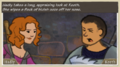
Description
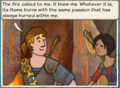
Description
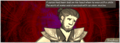
Description


This is how you create a gallery:
<nowiki>

<gallery mode="nolines">

File:ComicEditor_simpleTags1.png|Description
File:Flamesoul.PNG|Description
File:Thelonelycost.png|Description

</gallery>
</nowiki>

